Skip to content
  • Resources and Tours
  • Resources for pilgrims
  • How to download Google Maps for offline use
  • La Verna to Assisi, Way of St. Francis 2026–Join us on a pilgrimage
  • Good Morning, Good People!

Russ Eanes

  • Home
  • Blog
  • Books
    • The Walk of a Lifetime
    • Pilgrim Paths to Assisi
    • Good Morning, Good People!
    • Purchase direct from author
    • Free Chapters
  • Walker Press
    • Services from the Walker Press
    • Before you publish a book
    • The Walker Press service rates
  • About
  • Contact
  • Media
  • Resources and Tours
    • Resources for pilgrims
    • How to download Google Maps for offline use
    • The Way of St Francis in photos
    • Tours
      • La Verna to Assisi, Way of St. Francis 2026–Join us on a pilgrimage
      • Join me on a group walking pilgrimage to Assisi

How to download Google Maps for offline use

This is useful tool for when you are unable to get a cellular data signal, or a strong enough signal.
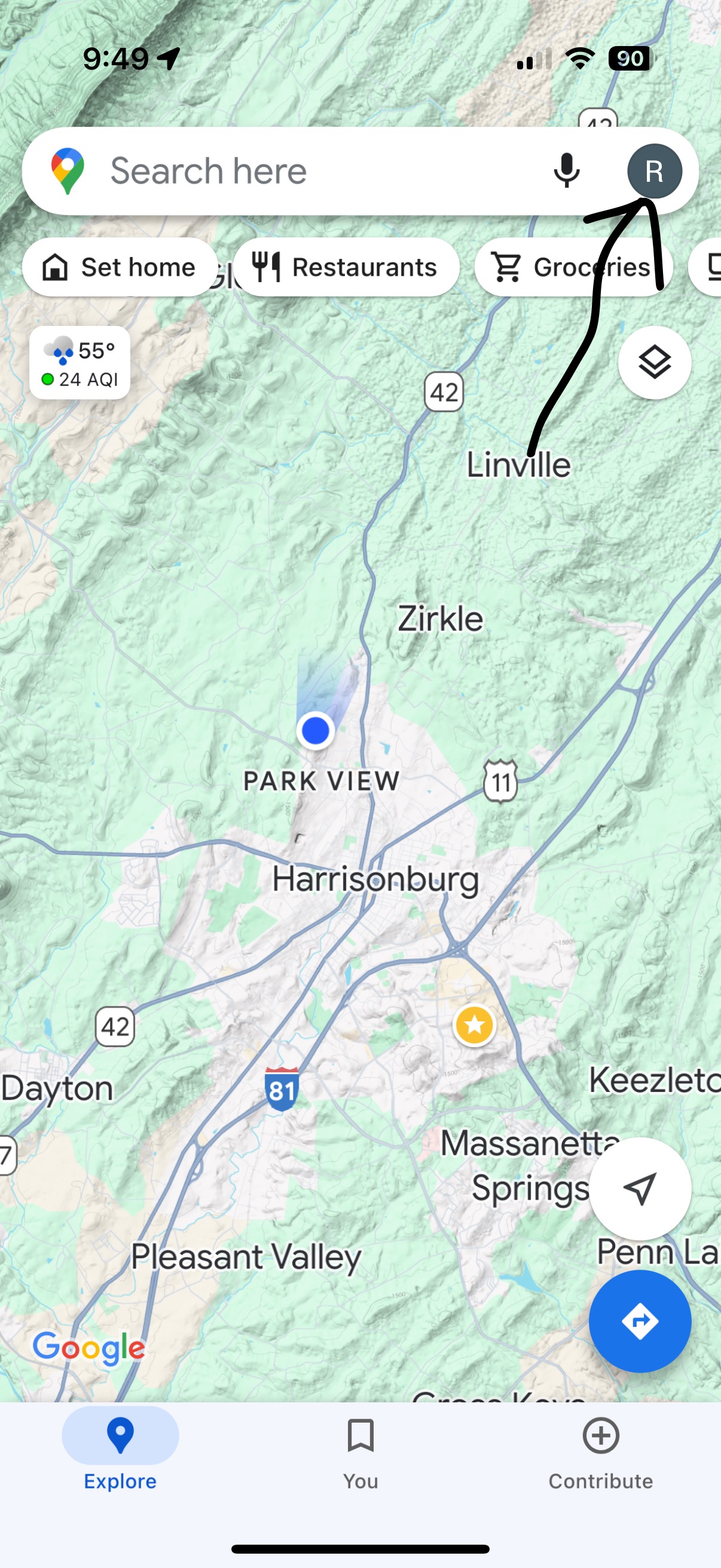
  1. Open Google Maps on your phone
  2. Select your account (icon or photos on the right side of the search bar)
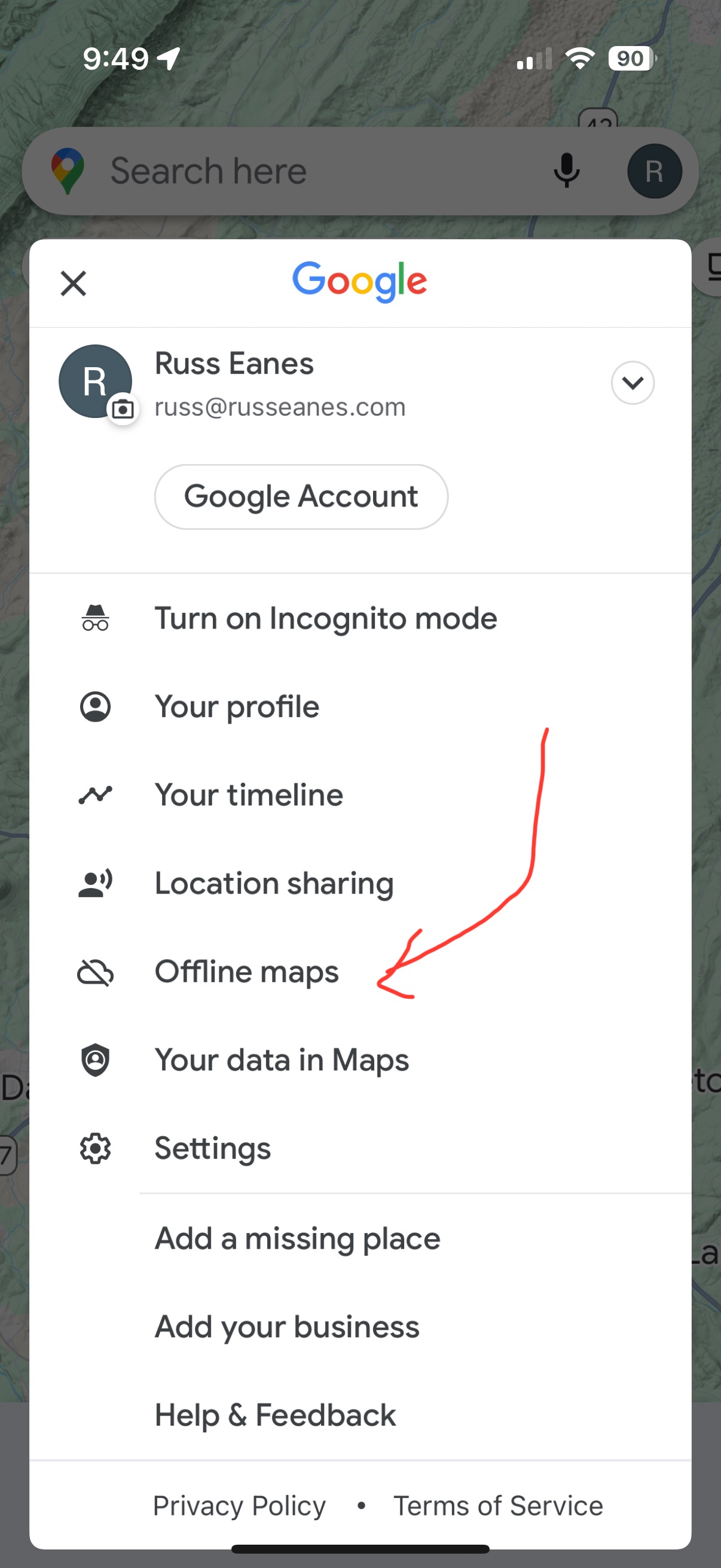
  3. Open your account and press Offline Maps
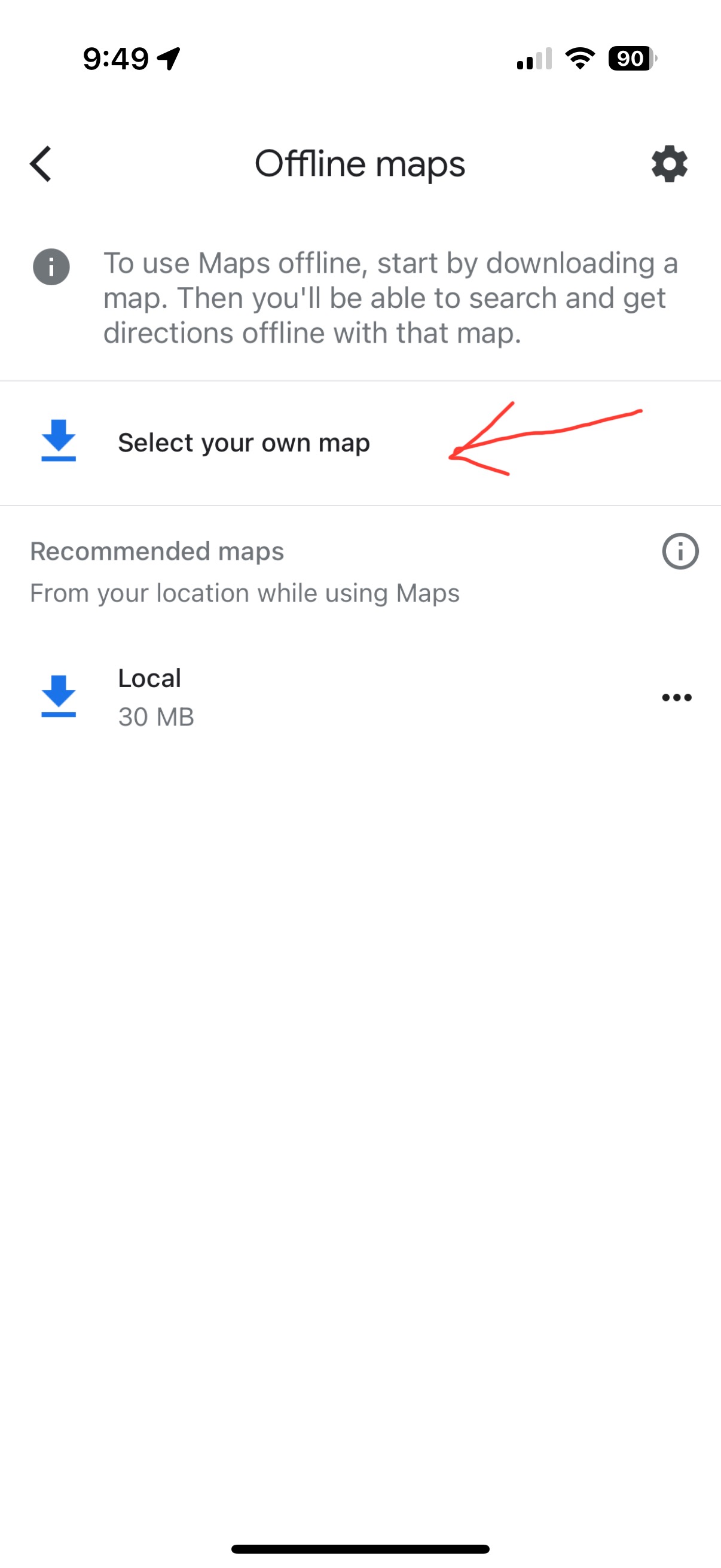
  4. Select your own map
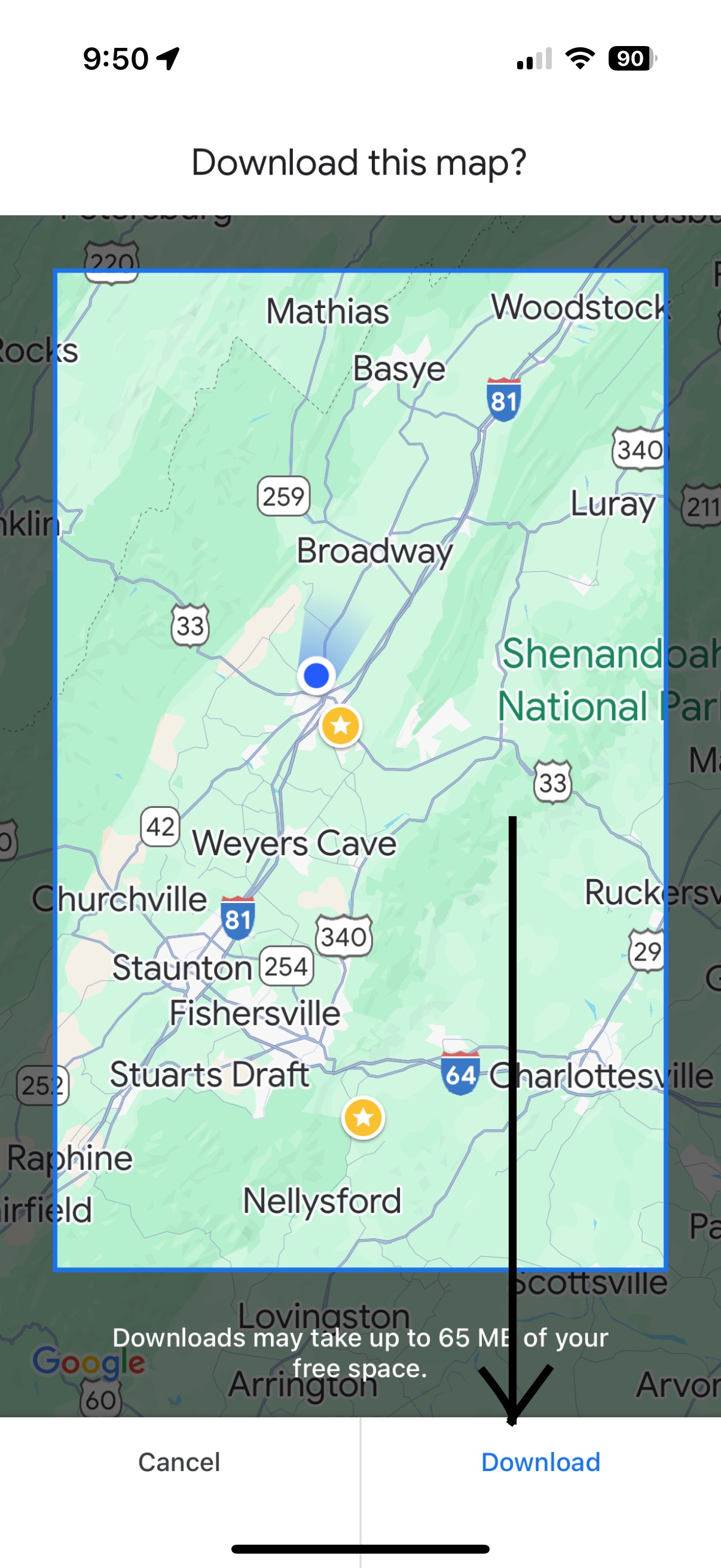
  5. Download to your device. Do this in Wifi. The map will save for a year.

Share this:

  • Click to share on X (Opens in new window) X
  • More
  • Click to share on Facebook (Opens in new window) Facebook
Like Loading...
Powered by WordPress.com.
  • Subscribe Subscribed
    • Russ Eanes
    • Join 52 other subscribers
    • Already have a WordPress.com account? Log in now.
    • Russ Eanes
    • Subscribe Subscribed
    • Sign up
    • Log in
    • Copy shortlink
    • Report this content
    • View post in Reader
    • Manage subscriptions
    • Collapse this bar
 

Loading Comments...
 

You must be logged in to post a comment.

    %d